
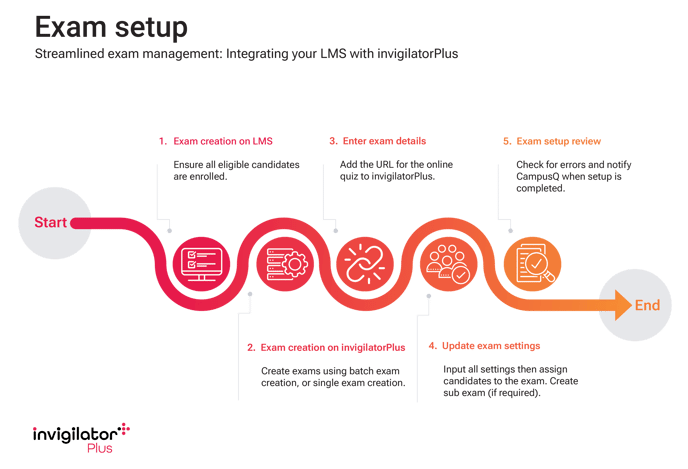
While the bulk of exam creation and set-up on invigilatorPlus can be performed using the API functions, these articles cover each step required to create a single, new Exam, or update an existing Exam. The steps are listed in the order that should be followed when creating the Exam:
- Create Exam on your LMS and enrol users
- Note the exam URL
- Note the exam password
- Add a link to invigilatorPlus from LMS using the LTI
- Create exams on invigilatorPlus:
- Edit Exam Settings
- Edit Exam Authentication
- Edit Permitted Materials
- Edit Exam Rules
- Add Students to an Exam
- Create Sub Exam (if required)
- Exam set-up review and error-checking
- Notify CampusQ when Exam set-up completed